
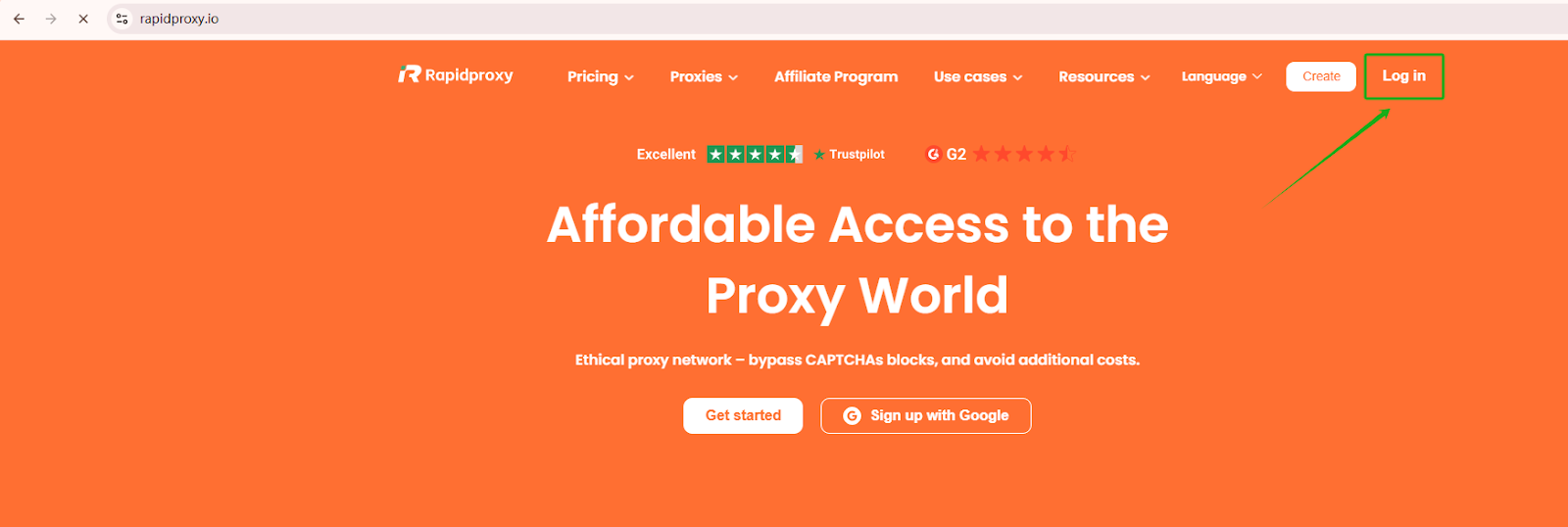
Step 1: Log in to the RapidProxy website
Go to https://rapidproxy.io and click 【Log in】.
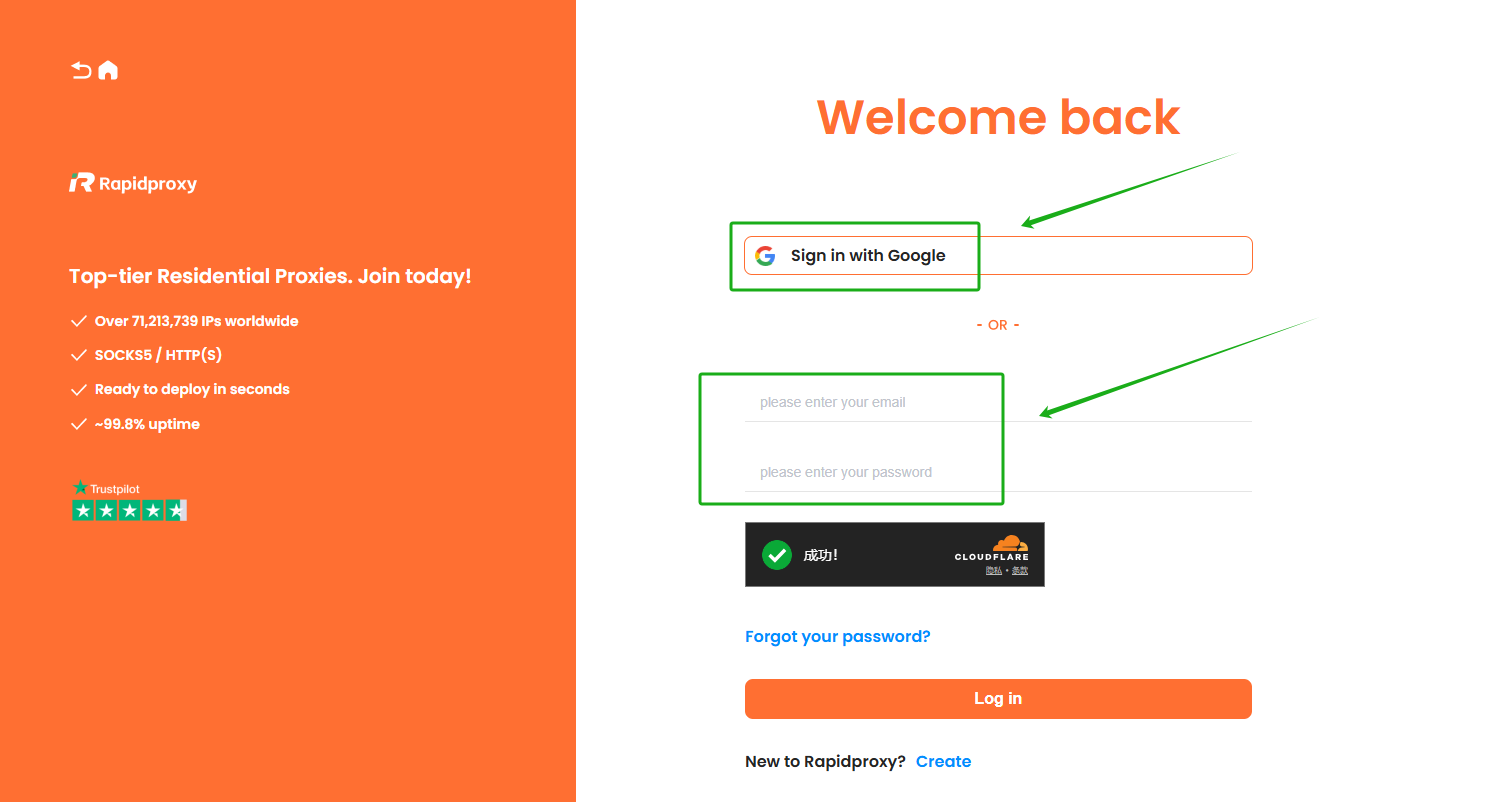
There are two login methods:
- Sign in wit Google
- Log in with email and password
Step 2: Create Sub-Account
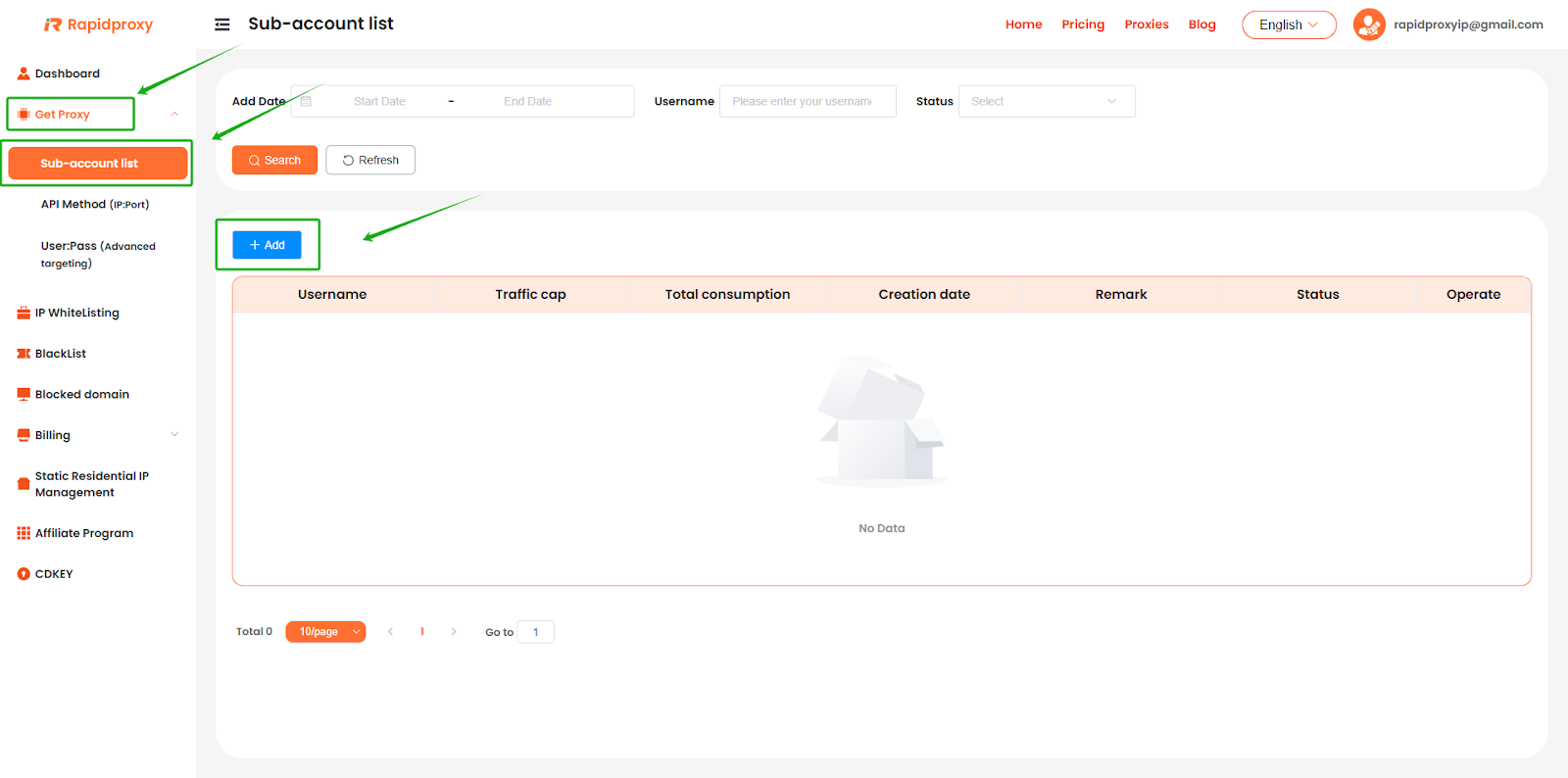
After logging in, go to the RapidProxy dashboard and click:
【Get Proxy】 → 【Sub-account list】 → 【+Add】
Step 3: Enter sub account information
In the pop-up window, fill in the following:
- username:2 to 12 letters and numbers
- password:4 to 12 letters and numbers
- Set Status to 【Enable】
- Traffic cap (GB): enter【 -1 】for unlimited traffic
Then click 【Confirm】 to save the sub account.

Step 4: Check your sub account
Return to the 【Sub-account list】 page.
Here you can view the details of the sub account you just created.

Step 5: Configure proxy parameters
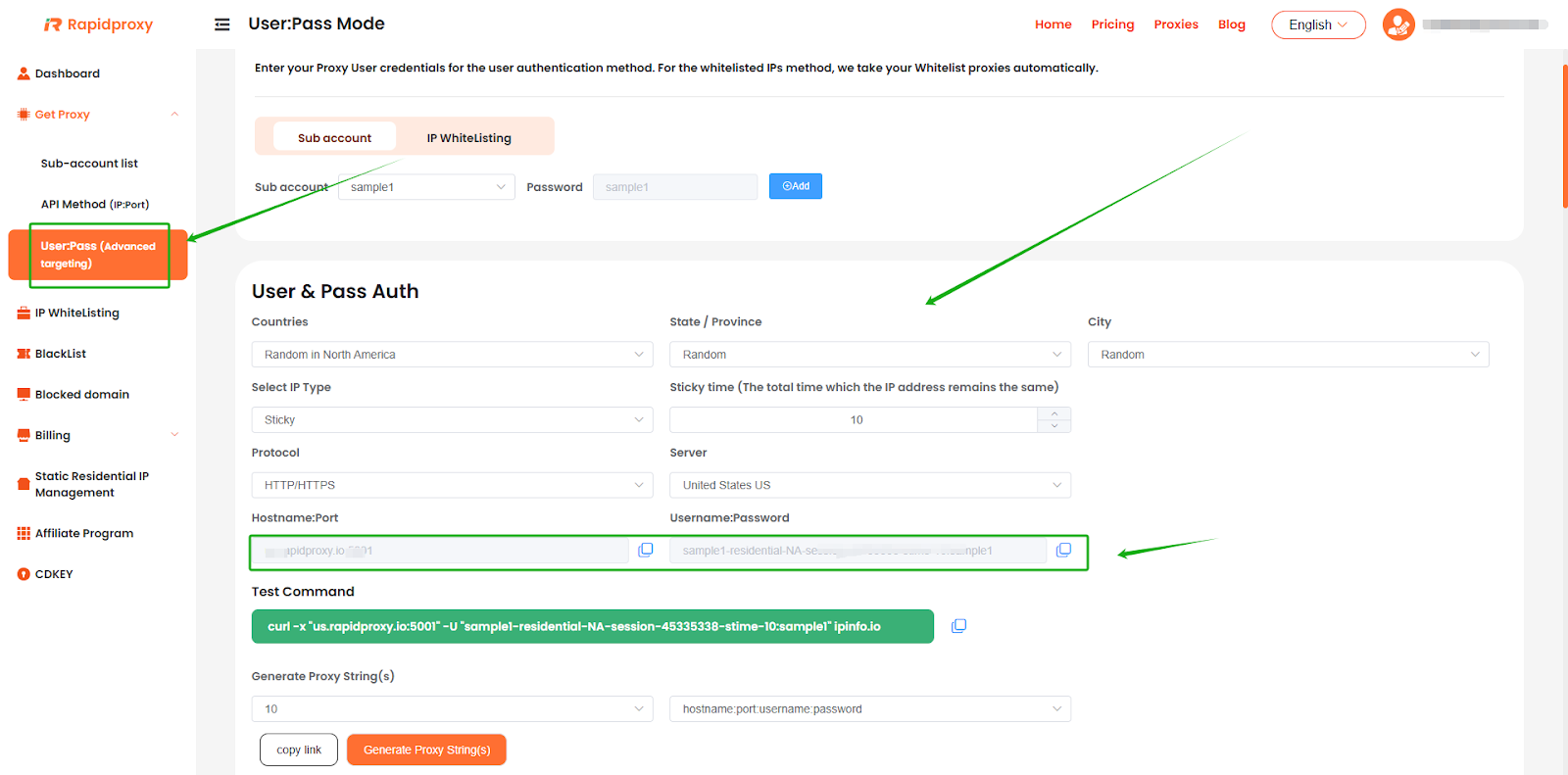
- Go to the【User:Pass (Advanced targeting)】 page.
- Configure proxy parameters as needed, including specifying country/region, rotation interval, proxy protocol, etc.
- Copy the proxy information generated by Rapidproxy and import it into your proxy software for use.

Grow your business with RapidProxy
Follow Us


Contact us


 Flux Stream Network Limited
  RM A5,7/F, ASTORIA BUILDING, NO.34 ASHLEY ROAD, TSIM SHA TSUI, HONG KONG
Language
DuoPlus Cloud Phone
Undetectable browser
GeeLark
AdsPower
Veryfb
MasBrowser
Hubstudio
Bit Browser
Linken Sphere
Dolphin{anty}
Gologin
Incogniton Browser
© 2025 RapidProxy.io. All Rights Reserved
PAYMENT METHODS:
